


Computer Cooling Systems




Frequently Asked Questions
What are the key specifications I should look for in a computer cooling system?
Key specifications include the cooling type (air or liquid), the TDP (Thermal Design Power) rating, fan size and RPM, noise levels, and compatibility with your CPU socket. It's essential to ensure the cooling system can handle your processor's heat output and fits within your case dimensions.
How do I determine if a cooling system is compatible with my PC build?
Compatibility depends on your CPU socket type, case size, and clearance for components like RAM and GPU. Check the manufacturer's specifications for compatibility with your CPU and measure your case's interior dimensions to ensure the cooling system fits properly.
What are the typical use cases for different types of cooling systems?
Air coolers are usually sufficient for standard office tasks and light gaming, while liquid coolers excel in high-performance scenarios, such as gaming or video rendering. Additionally, liquid cooling is beneficial for overclocking, where better thermal management is crucial.
What are the differences between air coolers and liquid cooling systems?
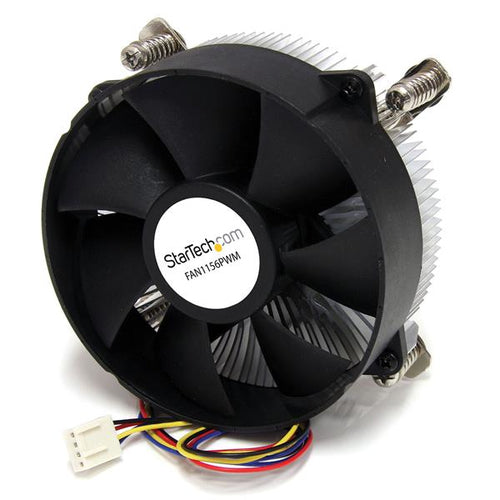
Air coolers use metal heat sinks and fans to dissipate heat, making them generally easier to install and maintain. Liquid cooling systems circulate coolant through pipes and a radiator, providing superior heat dissipation but requiring more setup and potential maintenance.
How do I decide between a budget and premium cooling solution?
Budget options are effective for basic needs, typically handling lower TDP CPUs or standard workloads. Premium systems offer enhanced cooling efficiency, durability, and noise management, making them ideal for high-end builds, gaming, or overclocking. Consider your specific use case and performance expectations.
Are there any maintenance requirements for cooling systems?
Air coolers usually require minimal maintenance, primarily cleaning dust from fans and heat sinks. Liquid cooling systems may need periodic coolant checks and potential refills or replacements. Always consult the manufacturer's guidelines for specific maintenance tips to ensure optimal performance.


